
Test environment
- Duration: 12+ hours of hands-on testing.
- Credits used: ~50 generations across 4 scenario categories.
- Platform: PrismAudio web interface; cloud inference.
- Test date: March 2026. Model version: PrismAudio production release.
Quick Picks:
🥇 PrismAudio — Best Overall (Stereo Audio + ICLR 2026)
🥈 MMAudio — Best for Simplicity
🥉 AudioX — Best Multi-Modal Input
⭐ ElevenLabs — Best Brand Recognition
⭐ Kling AI — Best Integrated Workflow
⭐ ACE Studio — Best SFX Focus
⭐ FlexClip — Best Free Basic Option
Visual Signal
Audio quality (MOS), synchronization, stereo support, and speed are the four strongest ranking signals in this review.
If you want the most reliable video-to-audio AI in 2026, PrismAudio is the top pick: stronger audio quality, true stereo spatial output, and faster generation, with practical trade-offs around advanced controls for first-time users.
Overall score
4.8/5
(9.5/10)
Pros
Cons
Best for: creators, filmmakers, and teams that need high-fidelity synchronized audio at production quality.
Not for: users who only need the simplest one-click mono output for very short clips.
We used a fixed test environment and clear evaluation criteria so this review is reproducible and honest.
We rated PrismAudio on audio quality and spatial realism; video-audio synchronization and scene coherence; handling of multi-event scenes; processing speed and workflow efficiency; ease of use and learning curve; and value for money. Scores are out of 10 and are subjective for comparison purposes.
Below are real test runs: original video, full sound_effect_prompt and bgm_prompt, then PrismAudio output for direct A/B comparison.
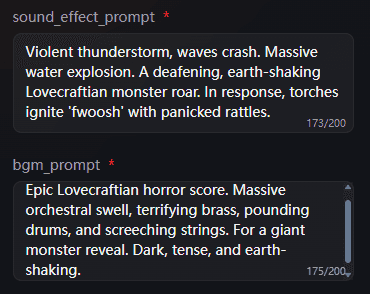
sound_effect_prompt
Violent thunderstorm, waves crash. Massive water explosion. A deafening, earth-shaking Lovecraftian monster roar. In response, torches ignite 'fwoosh' with panicked rattles.
bgm_prompt
Epic Lovecraftian horror score. Massive orchestral swell, terrifying brass, pounding drums, and screeching strings. For a giant monster reveal. Dark, tense, and earth-shaking.
Original Video
PrismAudio Output
sound_effect_prompt
Generate crisp ice crackle and granular friction details with close-up realism. Add subtle environmental cold wind and tiny surface impacts without overpowering the core texture sounds.
bgm_prompt
Use minimal ambient pads and sparse tonal pulses to support a clean, cold visual tone. Keep music understated to preserve micro-detail in the sound effects.
Original Video
PrismAudio Output
sound_effect_prompt
Magical hum, page turn. Interrupted by imp giggling, pixie buzzing. Wizard grunts, 'whoosh' swat. Imp 'zip' cackles, flies away. Ghost drifts by with a soft chuckle.
bgm_prompt
Whimsical, mischievous fantasy score. Cinematic orchestra, pizzicato strings, playful flutes, and celesta. For a wizard's study interrupted by magical creatures. Humorous and enchanted.
Original Video
PrismAudio Output
sound_effect_prompt
Immediate, continuous, and active bird calls throughout the duration. Food interaction sounds occur periodically. Lively, natural, and clear sound quality. Vocalizations are prominent. No human voices or extraneous noise.
bgm_prompt
Natural sound distribution across the stereo field, suggesting birds are around the listener. Food interaction sounds can be localized.
Original Video
PrismAudio Output
Step 1
Upload any video – silent or with existing audio.
Step 2
Fill in the sound effect prompt and BGM prompt. Describe the scene, actions, and mood so the AI can generate matching effects and background music.
Step 3
Creates synchronized stereo audio matching every moment.
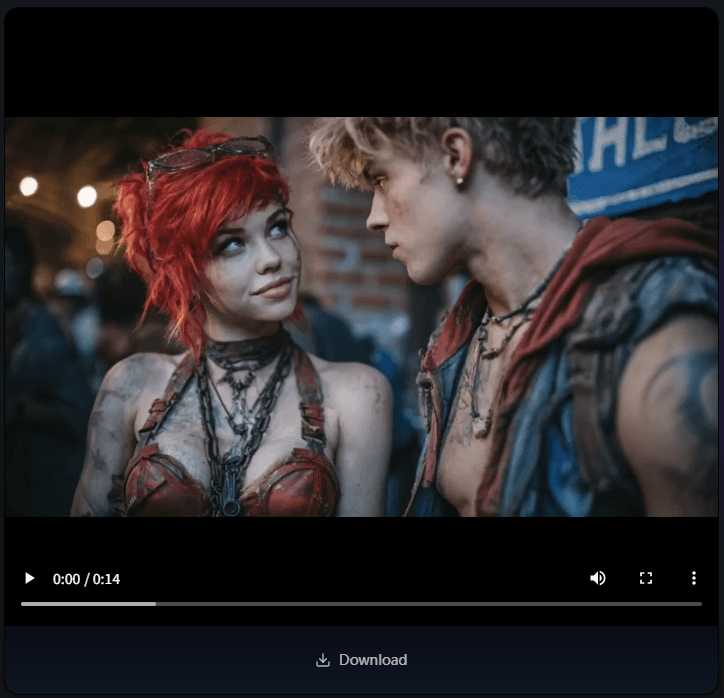
Step 4
Download your video with perfectly matched sound effects.
We break down 3-5 core capabilities below. Combined with the UI and workflow (screenshots and test outputs), you can gauge ease of use and learning curve.
Spatial Stereo Audio
PrismAudio generates true stereo sound, so audio feels placed in the scene rather than collapsed into the center. It is presented as the product’s key differentiator over mono-only alternatives.
Frame-Accurate Audio Sync
The system matches sound to on-screen action at a fine-grained level, helping footsteps, impacts, movement, and ambient events feel tightly aligned with the video.
Ultra-Fast Generation
PrismAudio emphasizes speed as a core advantage, with the site claiming most outputs are ready in under a second and citing an average generation time of 0.63 seconds.
Built for AI-Generated Video Workflows
It is positioned for modern creator workflows and explicitly supports use cases involving AI video tools such as Sora, Veo3, Kling, and Runway.
Handles Complex Multi-Sound Scenes
PrismAudio is designed to manage overlapping events like rain, footsteps, traffic, and layered environmental sound, making it more suitable for dense or dynamic scenes.
PrismAudio is offered with flexible credit-based plans and paid tiers for creators and teams. Pricing varies by usage volume, output length, and quality settings.
| Plan | Features |
|---|---|
| Free | Limited credits |
| Creator | Higher generation limits |
| Pro | Commercial usage |
Full breakdown: PrismAudio Pricing Guide.
Score: 7.8/10
AudioX is positioned as a flexible audio generation option for creators who want to combine multiple AI inputs in one workflow. It is useful when you need to move from rough visual drafts to usable sound quickly. The tool offers broad controls, which helps with experimentation but can feel less intuitive at first. Output quality is generally workable for social and prototype content, though consistency drops in busy scenes with many simultaneous events.
✅ Pros
⚠️ Cons
Best for: Creators who prioritize flexibility over simplicity.
For a direct comparison with PrismAudio, see our PrismAudio vs MMAudio breakdown →.
Link text: Explore AudioX →
Score: 8.9/10
ElevenLabs Sound Effects works best as a prompt-based SFX tool inside an existing ElevenLabs workflow. It is effective for generating individual effects quickly and building a repeatable sound library for recurring content types. For direct video-to-audio synchronization, you will usually need additional timeline editing in another app. In practice, it is more of a strong SFX companion than a full video-synced audio engine.
✅ Pros
⚠️ Cons
Best for: Audio creators focused on prompt-driven SFX generation.
Link text: Try ElevenLabs Sound Effects →
Score: 8.1/10
Kling AI is most practical for teams that want video and audio steps to stay in one integrated environment. This makes it efficient for short-form production where speed and output cadence matter. Audio controls are serviceable but less deep than specialist tools, so advanced sound direction can feel limited. It performs well for streamlined publishing workflows, while complex cinematic scenes may still need external audio finishing.
✅ Pros
⚠️ Cons
Best for: Video-first users who need an all-in-one production flow.
Link text: See Kling AI Features →
Score: 8.6/10
ACE Studio is better suited to focused sound-effect work than full automatic scene audio generation. It gives creators useful control over tone and style, which helps when building game-like cues, transitions, and stylized moments. Compared with broader video-audio tools, it often needs more manual arrangement for final scene timing. It is strongest as a dedicated SFX layer within a broader production stack.
✅ Pros
⚠️ Cons
Best for: Sound creators who want hands-on control of effect character.
Link text: Discover ACE Studio →
Score: 6.2/10
FlexClip is a lightweight entry option for users who need quick video edits with basic AI-assisted audio support. It is easy to learn and useful for tutorials, promo snippets, and internal content with short turnaround times. The trade-off is limited depth for synchronization precision, spatial detail, and complex scene handling. For most teams, it works best as a starter tool before moving to more specialized audio workflows.
✅ Pros
⚠️ Cons
Best for: Beginners and marketers creating quick publish-ready clips.
Link text: Start with FlexClip →
| Features | PrismAudio | MMAudio | AudioX | ElevenLabs | Kling AI |
|---|---|---|---|---|---|
| AI Sound Synthesis | ✅ | ✅ | ✅ | Text only | ✅ |
| Stereo / Spatial Audio | ✅ | ❌ | ❌ | — | ❌ |
| Multi-event Scenes | ✅ | Limited | Limited | — | Limited |
| Generation Speed | 0.63s | 1.2–2s | ~2s | — | — |
| Free Tier | ✅ | ✅ | Limited | ✅ | ✅ |
| Paid From | $19/mo | N/A | N/A | $5/mo | Credits |
| Max Length (Free) | 60s | 8s | Varies | N/A | Varies |
| API Access | ✅ | ❌ | ❌ | ✅ | ✅ |
| Research Backing | ICLR 2026 | CVPR 2025 | None | None | None |
| Sora/Veo3 Optimized | ✅ | Partial | Partial | — | ✅ |
Primary Recommendation
Choose PrismAudio if:
Choose MMAudio if:
Choose ElevenLabs if:
A: PrismAudio is the best video to audio AI in 2026 based on audio quality (4.21/5 MOS), synchronization accuracy, and its unique spatial stereo output. It's the only peer-reviewed tool accepted at ICLR 2026.
A: MMAudio is a solid free tool for short, simple clips. But it only outputs mono audio, has an 8-second default limit, and 50MB file cap. For users who need better quality or longer videos, PrismAudio is the stronger option.
A: PrismAudio was specifically tested on Sora 2 and Veo3 outputs. Most other tools can process AI video but were not optimized for it.
A: PrismAudio, MMAudio, ElevenLabs, and Kling AI all offer free tiers. PrismAudio's free tier includes stereo audio output, which others don't.
For most users in 2026 — especially those working with AI-generated video — PrismAudio is the clear winner. It produces better audio, faster, with stereo spatial positioning that no competitor offers.
MMAudio is a decent starting point if you just want something simple and free for short clips. But once you need quality, length, or stereo audio, the upgrade to PrismAudio is an easy call.