PrismAudio Logo
PrismAudio
Loading

HOW TO USE

How to Use PrismAudio AI Video To Audio Generator

Upload a video, describe the sound you want, and let PrismAudio generate synchronized spatial audio in seconds.

PrismAudio is built for creators who want better sound without a traditional editing workflow. Upload your clip, add a sound effects prompt and a BGM prompt if needed, then generate AI audio that follows the action on screen with spatial stereo placement and frame-aware timing.

Guided AI audio workflow

Follow a simple upload → prompt → generate loop. This guide shows exactly how to move from raw video to spatial AI audio without opening a DAW.

MODEL HIGHLIGHTS

PrismAudio Model Highlights

PrismAudio is built for modern video-to-audio generation. Its public product positioning focuses on spatial stereo output, frame-level sync, ultra-fast generation, compatibility with AI-generated video, and stronger handling of layered scenes than typical mono-only tools.

1

Spatial Stereo Sound

PrismAudio generates real stereo audio instead of collapsing everything into the center. That means movement on the left can sound left, motion on the right can sound right, and the overall result feels more natural and more immersive for video playback.

2

Syncs to Every Frame

The model is positioned around tight audio-visual alignment, so generated sound is meant to follow what happens on screen moment by moment. This is especially useful for clips with visible impacts, motion, contact, or quick transitions where timing matters.

3

Ready in Under a Second

PrismAudio’s homepage highlights an average generation time of 0.63 seconds, making it much easier to test multiple versions quickly. For a creator workflow, that speed matters because it turns sound generation into something iterative instead of slow and one-shot.

4

Made for Sora, Veo 3, Kling, and More

The official site explicitly says PrismAudio works with AI-generated video and names tools such as Sora, Veo 3, Kling, and Runway. That makes it a strong fit for creators who already generate visuals with AI but still need believable, synchronized audio.

5

Handles Layered Scenes Better

PrismAudio is presented as being able to manage scenes with overlapping sound events, such as rain, footsteps, traffic, or multiple on-screen actions happening at once. That is important because dense scenes are usually where simpler AI audio tools start to break down.

6

Built on Research, Not Just Hype

The public site says PrismAudio is based on research accepted at ICLR 2026, and supporting research materials describe its focus across semantic, temporal, aesthetic, and spatial dimensions for video-to-audio generation.

In short, PrismAudio is not just another video sound tool. It is positioned as a faster, more spatially aware, and more AI-video-friendly model built for creators who need better sound without a full post-production workflow.

STEP-BY-STEP GUIDE

A Simple 3-Step Workflow

At a practical level, using PrismAudio comes down to three essential steps: upload your clip, describe the sound, and download the result once it feels right.

Step 1

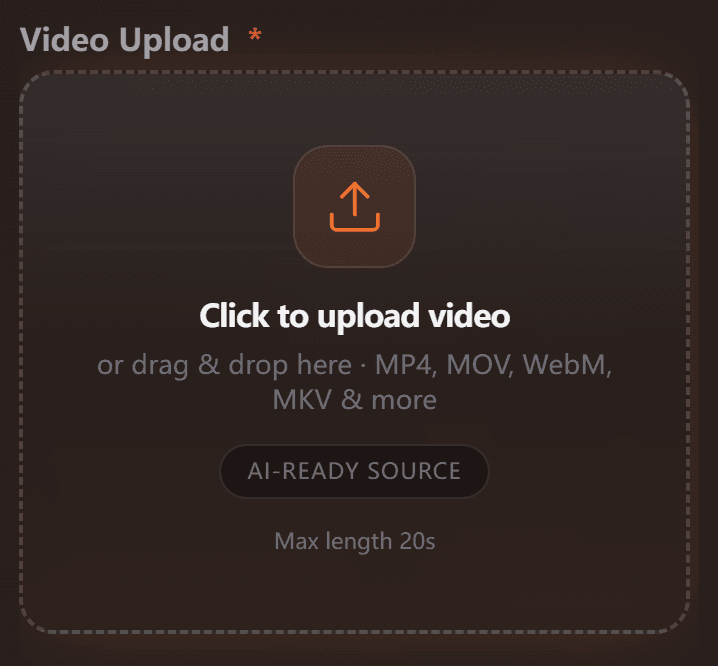
Upload Your Video

Upload Your Video

Choose a short, clear clip in MP4, MOV, WebM, or MKV format. For best results, use footage with visible motion and obvious scene cues.

Step 2

Describe the Sound

Describe the Sound

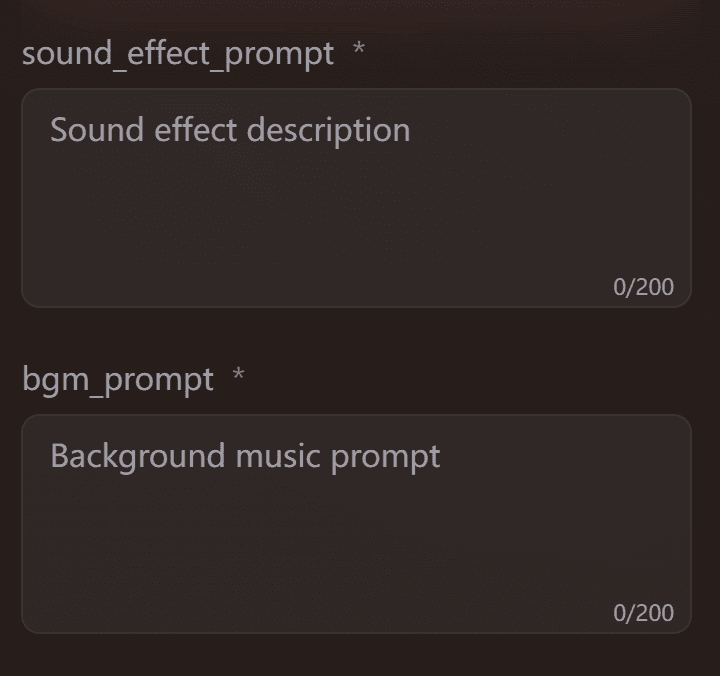
Use the sound effects prompt for actions and texture, and the BGM prompt for mood. You can keep them simple and concrete—PrismAudio handles the rest.

Step 3

Generate, Review, and Download

Generate, Review, and Download

Click generate, listen for sync and atmosphere, then download the version that feels naturally matched to your video.

LEARN BY EXAMPLE

See How PrismAudio Works Across Real Video Scenarios

The fastest way to learn PrismAudio is to see how different video types behave in the generator. Use the examples below as templates for your own workflow.

Test 1: First & Last Frame Reference

sound_effect_prompt

Violent thunderstorm, waves crash. Massive water explosion. A deafening, earth-shaking Lovecraftian monster roar. In response, torches ignite 'fwoosh' with panicked rattles.

bgm_prompt

Epic Lovecraftian horror score. Massive orchestral swell, terrifying brass, pounding drums, and screeching strings. For a giant monster reveal. Dark, tense, and earth-shaking.

Original Video

PrismAudio Output

Test 2: Ice Macro Texture Scene

sound_effect_prompt

Generate crisp ice crackle and granular friction details with close-up realism. Add subtle environmental cold wind and tiny surface impacts without overpowering the core texture sounds.

bgm_prompt

Use minimal ambient pads and sparse tonal pulses to support a clean, cold visual tone. Keep music understated to preserve micro-detail in the sound effects.

Original Video

PrismAudio Output

Test 3: Whispers, Wings, and Wizard Mischief

sound_effect_prompt

Magical hum, page turn. Interrupted by imp giggling, pixie buzzing. Wizard grunts, 'whoosh' swat. Imp 'zip' cackles, flies away. Ghost drifts by with a soft chuckle.

bgm_prompt

Whimsical, mischievous fantasy score. Cinematic orchestra, pizzicato strings, playful flutes, and celesta. For a wizard's study interrupted by magical creatures. Humorous and enchanted.

Original Video

PrismAudio Output

Test 4: Baltimore Oriole Calling

sound_effect_prompt

Immediate, continuous, and active bird calls throughout the duration. Food interaction sounds occur periodically. Lively, natural, and clear sound quality. Vocalizations are prominent. No human voices or extraneous noise.

bgm_prompt

Natural sound distribution across the stereo field, suggesting birds are around the listener. Food interaction sounds can be localized.

Original Video

PrismAudio Output

BEST PRACTICES

How to Get Better Results with PrismAudio

Good results usually come from a combination of clear visuals and simple, specific guidance. PrismAudio already analyzes the video itself, so your job is not to over-direct, but to give it just enough context.

1

Point 1 — Use short clips with clear motion.

Videos with obvious actions, contact, movement, and environmental cues are easier to sound well.

2

Point 2 — Keep prompts specific, not poetic.

Describe what is happening, what materials are involved, and what mood you want.

3

Point 3 — Separate effects from atmosphere.

Use the sound effects prompt for action and texture, and use the BGM prompt for emotional tone.

4

Point 4 — Use ASMR mode when detail matters.

If the clip depends on texture, softness, or close-up realism, ASMR mode is worth testing.

5

Point 5 — Review sync before exporting.

Always check whether movement, timing, and stereo placement feel natural before downloading the final version.

6

Point 6 — Try one version with no prompt.

PrismAudio’s own guidance says it can work well without a style prompt, so blank-prompt testing is a useful baseline.

SUPPORTED INPUTS

What You Can Upload and Where PrismAudio Works Best

PrismAudio is built for modern video workflows, especially short clips that need fast, believable sound without manual foley or full DAW editing.

Supported Inputs

  • MP4, MOV, WebM, and MKV uploads
  • Silent videos or clips with existing audio
  • AI-generated video from tools like Sora, Veo 3, Kling, and Runway
  • Short videos for testing, publishing, and iteration
  • Texture-heavy clips that benefit from ASMR mode

Best Use Cases

  • AI video sound design
  • Product demos and launch clips
  • Social media videos and Reels
  • Filmmaking previews and edit drafts
  • Cutscene prototypes and environment tests
  • Short-form content that needs fast audio enhancement

FAQ

Frequently Asked Questions About Using PrismAudio

Do I need to write prompts every time?

No. PrismAudio can still generate results even if you leave the prompts blank. Prompts simply give you more control over the mood, sound style, and overall direction of the final audio.

What should I write in the sound effects prompt?

Keep it simple and specific. Describe what is happening in the scene, what kind of sounds should be heard, and how strong or subtle they should feel.

What should I write in the BGM prompt?

Use the BGM prompt to guide the overall atmosphere of the clip. For example, you can describe it as cinematic, calm, futuristic, tense, soft, or dramatic depending on the mood you want.

What video formats does PrismAudio support?

PrismAudio works with common video formats such as MP4, MOV, WebM, and MKV. For the smoothest experience, it is best to upload a short, clear clip with visible action.

Can I use PrismAudio with AI-generated videos?

Yes. PrismAudio is especially useful for AI-generated clips that need synchronized sound. It works well for short videos created for demos, creative tests, and social content.

How long can my source video be?

For the public generator flow, shorter clips work best. If your video is brief and focused, PrismAudio can usually produce a more accurate and better-synced result.

What kind of videos work best?

Videos with clear motion, visible actions, and strong scene cues usually get the best results. Product demos, cinematic clips, close-up texture shots, and short AI videos are all great starting points.

When should I use ASMR mode?

ASMR mode is most useful when your video depends on texture and detail. If the scene includes brushing, slicing, tapping, pouring, or close-up movement, it can help make the result feel more immersive.

What should I check before downloading?

Listen for timing, realism, and overall atmosphere. The best result should feel naturally matched to the video, not delayed, random, or overly exaggerated.

READY TO START?

Turn Your Video into Spatial AI Audio

Upload a short clip, guide the sound with simple prompts, and generate synchronized stereo audio in seconds. PrismAudio is designed to make video sound creation faster, easier, and more practical for modern creator workflows.

No account needed to get started. Built for AI video, short-form content, demos, and fast creative testing.